AI Site Management
Your marketing team shouldn't need a developer to update their own site. We set up AI-powered workflows that give your marketing team direct control over your Webflow site (content updates, SEO fixes, campaign pages) without touching the backend or filing a ticket.

Sounds Familiar?
Content stuck in the queue
Your marketing team knows what needs to change. But every update — a new case study, a tweaked headline, an SEO fix — goes into a dev backlog and waits.
SEO metadata nobody touches
Meta titles and descriptions were written at launch and haven't been updated since. Nobody wants to ask engineering to fix a 60-character text field.
Campaign pages that take weeks
A new product launch needs a landing page. Design gets involved, dev gets involved, three rounds of review. By the time it's live, the moment has passed.
What we do about it
We connect your Webflow site to an AI tool like Claude using the Webflow MCP (Model Context Protocol). Then we build a custom prompt library scoped to your site structure, and train your marketing team to use it. The result: your team can make real site changes by describing what they want in plain language — no code, no Designer, no dev ticket.
1. MCP SETUP
We connect your Webflow site to your AI tool so they can talk directly to each other.

WHAT WE DO
- Configure Webflow MCP on your project
- Connect to your AI tool of choice
- Verify read and write access across your CMS and pages
DELIVERABLE
2. PROMPT LIBRARY
We build a library of tested prompts scoped to your exact site structure and workflows.
WHAT WE DO
- Map your CMS collections, page types, and content patterns
- Write and test prompts for you most common tasks
- Document everything in a format your team can use day one
Deliverable
3. TEAM TRAINING
We run a hands-on session with your marketing team. By the end, they can operate independently.
WHAT WE DO
- Live walkthrough of the full workflow
- Hands-on exercises with real site content
- Q&A and edge case review
Deliverable
4. ONGOING SUPPORT
We keep the system current as your site grows. New sections, new collections, new workflows.
WHAT WE DO
- Monthly prompt library updates
- Fix broken flows as the site evolves
- Add new workflows when your team need them
Deliverable
Your team ships.
Without asking anyone.
Once the MCP environment is live, your marketing team can handle all of this directly, in plain language, through Claude, without touching the Webflow Designer.
CMS CONTENT
Create and update any CMS item
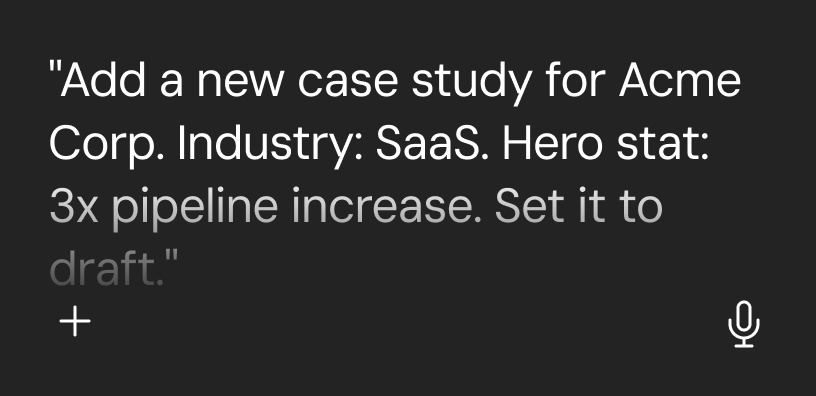
Blog posts, case studies, team bios, job listings, testimonials. Create, edit, and publish directly. No Designer access needed.
EXAMPLE PROMPT
SEO METADATA
Fix metadata across the whole site
Update meta titles, descriptions, and Open Graph fields on any page. Audit for gaps and fix them in a single session..
EXAMPLE PROMPT
.png)
LANDING PAGES
Launch campaign pages fast
Brief the AI on the campaign, and it structures the page inside Webflow using your existing templates. Your team populates the content. No design or dev round-trip.
EXAMPLE PROMPT
.png)
SITE AUDITS
Query and clean up your site
Ask your site questions and get answers. Find content gaps, outdated fields, broken references. Then fix them without leaving the conversation.
EXAMPLE PROMPT
.png)
Related Content
Continue learning more about connecting Webflow with Claude, ChatGPT, Perplexity, and other LLMs using the MCP.


Everything You Need to Know
If your question isn't here, book a discovery call and we'll answer it directly.
Getting Started
Do we need a developer to use this once it's set up?
No. That's the core promise. Once we configure the MCP environment and run the onboarding session, your marketing team operates independently. They describe what they want in plain language and Claude handles the execution against your Webflow site. We stay available for support, but the day-to-day doesn't require a developer in the loop.
What Webflow plan do we need to use the MCP?
You need a Webflow CMS or Business plan. If you're running a live marketing site on Webflow, you're almost certainly already on a compatible plan. The Webflow MCP is available through Webflow's official Developer API with no third-party tools or workarounds required. We confirm compatibility during the discovery call before anything is set up.
What AI tool does our team need?
We recommend Claude by Anthropic. It has native MCP support and works directly with the Webflow MCP server without any middleware. A standard Claude Pro subscription covers everything your team needs. Other MCP-compatible tools like Cursor or Windsurf also work for developer-oriented workflows, but for marketing teams, Claude is the right interface. We help you get it configured as part of the setup.
How long does the initial setup take?
Typically two to three weeks from contract to trained team. Week one covers MCP configuration and prompt library build. Week two is the onboarding session and live testing with real site content. By week three your team is running independently. The timeline depends on the complexity of your Webflow project. Sites with many CMS collections take slightly longer to scope correctly.
How it Works
How is this different from just using Webflow's built-in Editor?
Webflow's Editor is good for simple text edits on existing pages. It doesn't let you create new CMS items at scale, bulk-update fields across collections, manage metadata across multiple pages at once, or query your site for content gaps. The MCP setup handles all of that through natural language, so there's no interface for your team to learn. Think of the Editor as a manual screwdriver and the MCP as a power drill with a full toolkit attached.
What can the MCP actually do, and what can't it do?
The MCP can create, update, and publish CMS items; update page metadata and Open Graph fields; query your collections for gaps or errors; and structure new pages based on existing templates. It cannot modify your visual design system, write custom code, create new site sections from scratch, or control Workspace-level access settings. Anything that requires opening the Webflow Designer is still developer territory. But the vast majority of your marketing team's day-to-day tasks fall well within what the MCP handles.
Is our Webflow site safe? Can the AI break something?
The MCP operates through Webflow's official API with the same permission model as any other Webflow integration. It cannot do anything a properly scoped API token isn't permitted to do, and we configure those permissions carefully during setup. CMS changes made via the MCP are visible in your Webflow dashboard and can be reviewed before publishing. Your design system and site structure are not exposed to content-level operations. In practice, the AI acts as a well-trained editor, not an admin with unlimited access.
Retainer and Ongoing Work
What happens when our site changes after setup?
That's exactly what the retainer covers. Every time you add a new CMS collection, a new content type, or a new page structure, we update the prompt library so the workflows stay accurate. You don't re-train from scratch. We absorb the change on our side and update the documentation your team works from. This is why AI Site Management is a retainer and not a one-off project: the value compounds as the system stays current.
Can this run alongside our existing Webflow development retainer?
Yes. If you're already working with us on a development retainer, AI Site Management layers on top of it. The two services complement each other well. If you're on a support plan with another agency, AI Site Management can also run independently. We just need access to your Webflow project. In both cases, we coordinate to make sure the MCP configuration stays aligned with ongoing development work.
How do you measure whether this is working?
The primary metric is content velocity: how many CMS updates, metadata changes, and new pages your marketing team ships per month without filing a dev ticket. We track this from month one so you have a clear before/after comparison. On the Marketing Velocity and AI-Powered Site tiers, we also review SEO metadata coverage and page performance as part of the monthly check-in. You'll always know what's moving.
Do you offer a trial or a one-off setup before committing to a retainer?
Yes. We offer a paid onboarding sprint, typically two weeks at a fixed cost, that ends with a live MCP setup, a trained team, and a documented prompt library. You see exactly what you're getting before any retainer commitment. Most clients move straight into a retainer after the sprint because the value is obvious by the end of week two. Book a discovery call and we'll walk through what the sprint would look like for your specific site.
.svg)